> ## Documentation Index
> Fetch the complete documentation index at: https://docs.unoverse.ai/llms.txt
> Use this file to discover all available pages before exploring further.
# Essentials
Every artifact you author is built from one grammar. Learn it once, and a component, a
template and an app all read the same way.
## One folder grammar
A component, a template and an app are each a folder with the same files in it:
product-card.yaml the envelope: what it is} />
manifest.yaml how the outside finds and calls it} />
layouts one arrangement per state} defaultOpen />
components its own partials, once two layouts share a shape} />
| File | Carries |
| --------------- | ------------------------------------------------------------------------------------------------------------------- |
| `.yaml` | The envelope: what the thing is. `unoverse`, `type`, `name`, the `states:` tree, `props`, `values:` |
| `manifest.yaml` | The face: how the outside finds it. `description`, `whenToUse`, `category`; an app adds `binding` and `inputSchema` |
| `layouts/` | One file per state, each a complete arrangement |
| `components/` | Partials the folder owns. Never discovered, addressed only from inside |
The folder name, the file name and the `name:` field all carry the same string, and the
served address is built from it.
Structure is earned, never assumed. A component that draws one thing collapses to a single
file: the envelope with a `root:` tree inside it. A flat file nothing discovers also needs
no manifest, and that is the one exemption: every other artifact carries one.
## The envelope and the manifest never blur
The envelope says what the thing **is**. The manifest says how the outside **finds and
calls** it. No field lives in both, and the lint holds the line.
That split is what makes an artifact portable: the same definition can be discovered by an
Agent, placed in a template, or mounted in an app, and only the manifest changes its face
to the world.
## What you draw with
Every layout composes from eighteen primitives and nothing else. `Box`, `Each` and
`Switch` arrange. `Text`, `Image`, `Button` and `Input` draw. `Ref` and `$include`
compose. [Primitives](/reference/primitives) is the full set, with what each one reads and
an example each. Conditions are `eq`, `ne`, `in`, and a bare field name for truthy.
Adding to the set would change every SDK, so it is frozen, and a guard test fails the
build on any attempt. The instinct that frustrates is reaching for a `Chart`, an
`Accordion` or a `Carousel`. Compose them instead. Bars are `Box` inside `Each`, and an
accordion is `visibleWhen` on a key you named. Something genuinely uncomposable is a
platform conversation, not a definition to write around.
Conditions drive everything that changes, and they land four ways:
| Move | Use when |
| ------------- | ------------------------------------------------------ |
| `visibleWhen` | A small thing appears or disappears |
| `Switch` | A whole arrangement swaps: public states, wizard steps |
| `Each` | Repeat over a literal list or a bound array |
| `style.when` | The same element restyles by state |
Mutually exclusive arrangements belong in one `Switch`, turning on one named field per
axis, such as `state`, `step` or `callState`. Never boolean soup.
Two habits save you drawing from scratch:
* **Take the shape that already exists.** The design system ships components you reference
by bare name, and atoms you pull in with `Ref` ([The design system](/design/design-system)).
* **Make an atom of anything two definitions share.** Compose it with `Ref`, rather than
copying a style block ([Styles and tokens](/design/styles-and-tokens)).
## States, everywhere
Every kind declares the same tree at the top level of its envelope:
```yaml theme={"dark"}
states:
grid: # first declared = where it starts
layout: layouts/grid # every state names its layout as a path
page:
layout: layouts/page
```
Four rules carry the whole model, and they are the same at every scale:
| Rule | Meaning |
| --------------------------------------- | -------------------------------------------------------------------------------- |
| First declared wins | A component arrives there; an app or template rests there |
| Every state names its layout | A path, such as `layout: layouts/grid`. Nothing is assumed from the name |
| Top level is public, nesting is private | The outside world sees the top-level names and nothing else |
| Reactions are name-matches | A state written on one thing activates the same-named state on whatever holds it |
So a card writing `state: page` opens a template's `page` state, which draws that state's
layout. The same sentence describes a component, a template and an app, which is the point.
**The order of states matters.** The first declared is where the thing starts, and the
list is walked top-down as a priority order. [State](/design/state) covers the walk in
full.
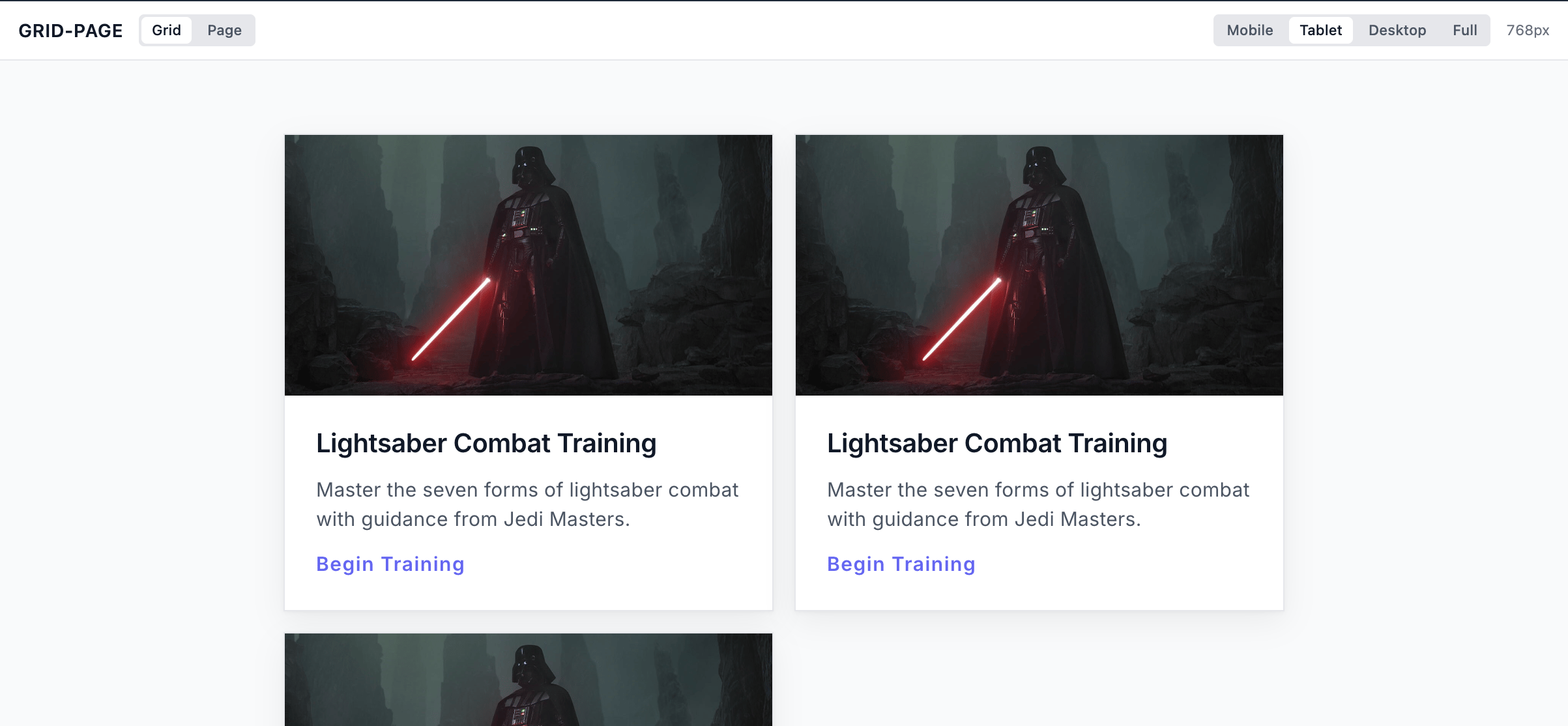
Preview every state in **studio** without any setup. Each public state you declare appears
as a pill, and clicking one shows that state's layout, driven by the same state write a
real interaction makes.
 ### Substates
**States and substates are different things.** A state is a face the outside world can ask
for. A component can be fetched, delivered or streamed in any of its declared states, and
the templates around it react to them by name. A substate is local to the component. It
nests inside one state, and nothing outside ever sees it. Only the component moves it,
through its own buttons or a value a service projects.
### Substates
**States and substates are different things.** A state is a face the outside world can ask
for. A component can be fetched, delivered or streamed in any of its declared states, and
the templates around it react to them by name. A substate is local to the component. It
nests inside one state, and nothing outside ever sees it. Only the component moves it,
through its own buttons or a value a service projects.
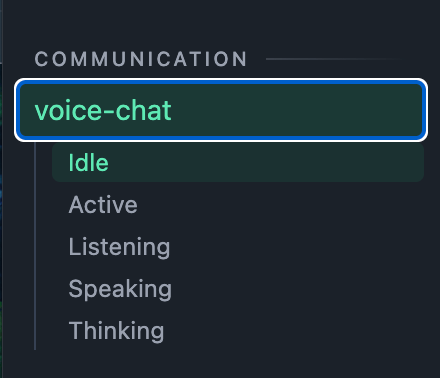 In the files, a substate is a nested block on its own axis, and its drawing is a layout
like any other:
```yaml theme={"dark"}
states:
idle:
layout: layouts/idle
call: # the public face a delivery opens
layout: layouts/call # the state's own shell, always on
on: callState # the private axis the substates switch on
states:
listening:
layout: layouts/callState-listening
speaking:
layout: layouts/callState-speaking
thinking:
layout: layouts/callState-thinking
```
The link is always the declared path. The naming is convention alone: a state's drawing
carries the state's name, and a substate's drawing is prefixed with its axis, so
`layouts/` reads at a glance.
## The toolchain
Three checks and a workbench, each catching mistakes at a different moment:
| Tool | When it runs | What it catches |
| -------------- | ------------------------------------------------------------------------------- | ----------------------------------------------------------------------------------- |
| **The schema** | As you type, through the [`redhat.vscode-yaml` extension](/onboarding/platform) | An unknown primitive, a missing field, an illegal condition |
| **The lint** | At publish: `unoverse deploy studio` | Raw values, invented style keys, broken paths, tree violations. Zero errors to ship |
| **The guards** | In the platform's own CI | The same rules, enforced again where you cannot drift past them |
| **studio** | While you build | Renders every definition from its defaults, with one pill per public state |
Two commands run the loop. **studio** draws whatever you are building from its own
defaults, with one pill per public state:
```bash theme={"dark"}
unoverse studio
```
Publishing runs the lint first and stops on any error, so nothing broken leaves your
machine:
```bash theme={"dark"}
unoverse deploy studio
```
Edits to something already published apply live. Anything brand new has to be published
before a workflow can use it.
[Quick start](/design/quick-start) wires the schema into your editor in one snippet, and
[Validate and ship](/design/validate-and-ship) lists every rule the lint enforces.
## Let your agent write it
Ask Claude Code for a component, a template or an app, and it writes one that follows
every rule on this page. The `unoverse-create` skill teaches it the folder grammar, the
state tree, the closed primitive set and your project's own tokens.
```bash theme={"dark"}
unoverse update
```
That command installs the skills into `~/.claude/skills`, so Claude Code finds them in
every folder you open, and every update keeps them current. [Skills](/onboarding/skills)
covers what each one knows.
## Next steps
The first kind: states, layouts, and everything a component can show.
Every rule the toolchain enforces, layer by layer.
In the files, a substate is a nested block on its own axis, and its drawing is a layout
like any other:
```yaml theme={"dark"}
states:
idle:
layout: layouts/idle
call: # the public face a delivery opens
layout: layouts/call # the state's own shell, always on
on: callState # the private axis the substates switch on
states:
listening:
layout: layouts/callState-listening
speaking:
layout: layouts/callState-speaking
thinking:
layout: layouts/callState-thinking
```
The link is always the declared path. The naming is convention alone: a state's drawing
carries the state's name, and a substate's drawing is prefixed with its axis, so
`layouts/` reads at a glance.
## The toolchain
Three checks and a workbench, each catching mistakes at a different moment:
| Tool | When it runs | What it catches |
| -------------- | ------------------------------------------------------------------------------- | ----------------------------------------------------------------------------------- |
| **The schema** | As you type, through the [`redhat.vscode-yaml` extension](/onboarding/platform) | An unknown primitive, a missing field, an illegal condition |
| **The lint** | At publish: `unoverse deploy studio` | Raw values, invented style keys, broken paths, tree violations. Zero errors to ship |
| **The guards** | In the platform's own CI | The same rules, enforced again where you cannot drift past them |
| **studio** | While you build | Renders every definition from its defaults, with one pill per public state |
Two commands run the loop. **studio** draws whatever you are building from its own
defaults, with one pill per public state:
```bash theme={"dark"}
unoverse studio
```
Publishing runs the lint first and stops on any error, so nothing broken leaves your
machine:
```bash theme={"dark"}
unoverse deploy studio
```
Edits to something already published apply live. Anything brand new has to be published
before a workflow can use it.
[Quick start](/design/quick-start) wires the schema into your editor in one snippet, and
[Validate and ship](/design/validate-and-ship) lists every rule the lint enforces.
## Let your agent write it
Ask Claude Code for a component, a template or an app, and it writes one that follows
every rule on this page. The `unoverse-create` skill teaches it the folder grammar, the
state tree, the closed primitive set and your project's own tokens.
```bash theme={"dark"}
unoverse update
```
That command installs the skills into `~/.claude/skills`, so Claude Code finds them in
every folder you open, and every update keeps them current. [Skills](/onboarding/skills)
covers what each one knows.
## Next steps
The first kind: states, layouts, and everything a component can show.
Every rule the toolchain enforces, layer by layer.