

One folder grammar
A component, a template and an app are each a folder with the same files in it:product-card
product-card.yaml the envelope: what it is
manifest.yaml how the outside finds and calls it
layouts one arrangement per state
components its own partials, once two layouts share a shape
The folder name, the file name and the
name: field all carry the same string, and the
served address is built from it.
Structure is earned, never assumed. A component that draws one thing collapses to a single
file: the envelope with a root: tree inside it. A flat file nothing discovers also needs
no manifest, and that is the one exemption: every other artifact carries one.
The envelope and the manifest never blur
The envelope says what the thing is. The manifest says how the outside finds and calls it. No field lives in both, and the lint holds the line. That split is what makes an artifact portable: the same definition can be discovered by an Agent, placed in a template, or mounted in an app, and only the manifest changes its face to the world.What you draw with
Every layout composes from eighteen primitives and nothing else.Box, Each and
Switch arrange. Text, Image, Button and Input draw. Ref and $include
compose. Primitives is the full set, with what each one reads and
an example each. Conditions are eq, ne, in, and a bare field name for truthy.
Adding to the set would change every SDK, so it is frozen, and a guard test fails the
build on any attempt. The instinct that frustrates is reaching for a Chart, an
Accordion or a Carousel. Compose them instead. Bars are Box inside Each, and an
accordion is visibleWhen on a key you named. Something genuinely uncomposable is a
platform conversation, not a definition to write around.
Conditions drive everything that changes, and they land four ways:
Mutually exclusive arrangements belong in one
Switch, turning on one named field per
axis, such as state, step or callState. Never boolean soup.
Two habits save you drawing from scratch:
- Take the shape that already exists. The design system ships components you reference
by bare name, and atoms you pull in with
Ref(The design system). - Make an atom of anything two definitions share. Compose it with
Ref, rather than copying a style block (Styles and tokens).
States, everywhere
Every kind declares the same tree at the top level of its envelope:
So a card writing
state: page draws its page layout and moves to the place page names.
An app has one external state, its layout of places, and it never matches names.
Preview every state in studio without any setup. Each external state appears as a pill
on the top, and clicking one shows that state’s layout, driven by the same state write a
real interaction makes.
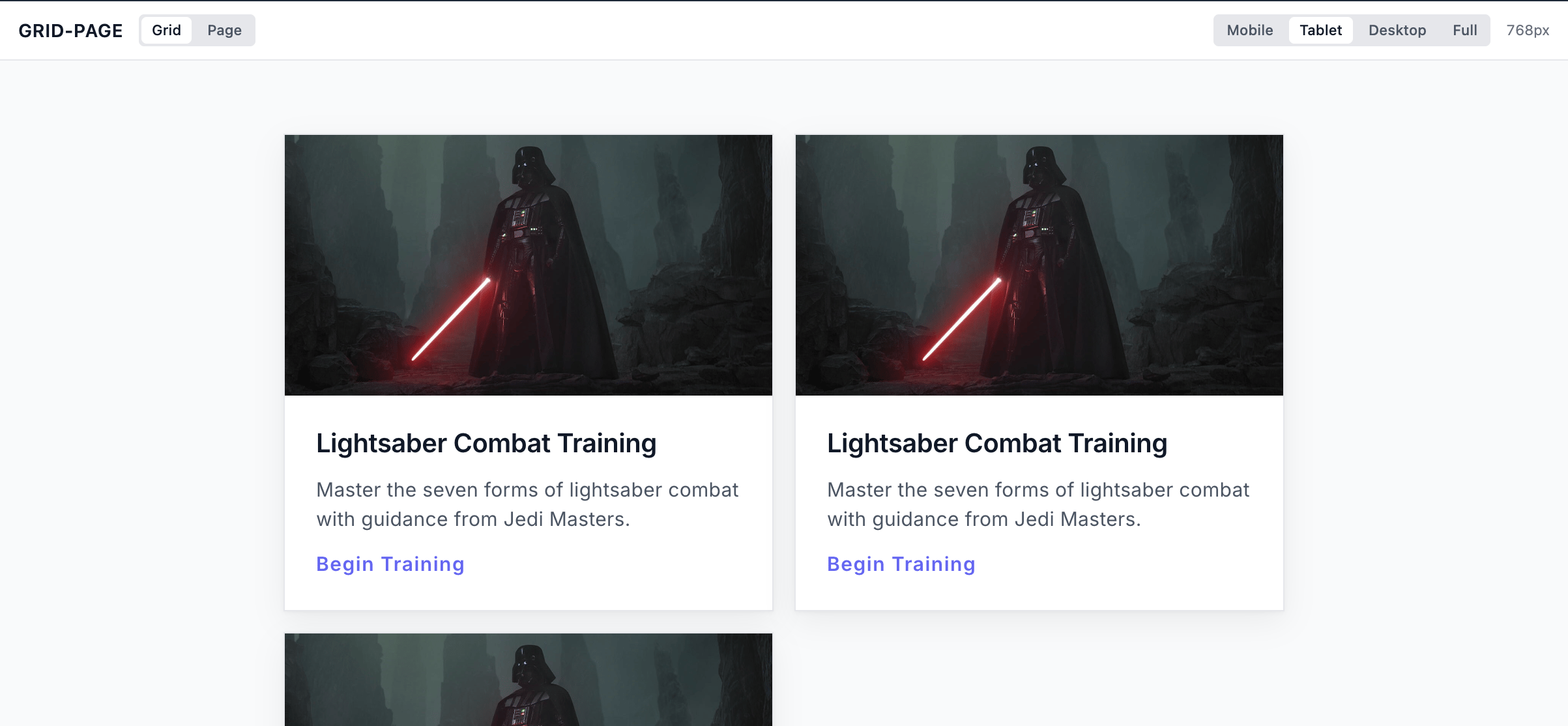
The declared states, as studio shows them: one pill per external state.
Internal state
External and internal state are different things. An external state is a face the outside world can ask for. A component or a template can be fetched, delivered or streamed in any of its external states, and each one names where it shows. An internal state, a substate, is local to the thing. It nests inside one state, and nothing outside ever sees it. Only the thing itself moves it, through its own buttons or a value a service projects. studio lists it on the left.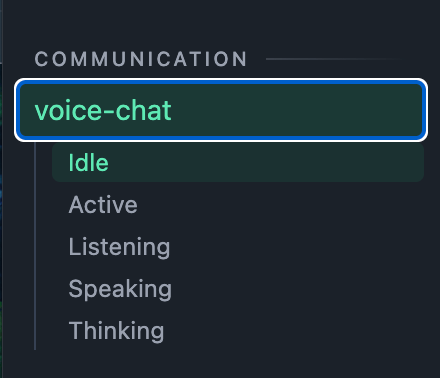
A voice component in studio: its substates, Idle through Thinking, are its own business.
layouts/ reads at a glance.
The toolchain
Three checks and a workbench, each catching mistakes at a different moment:
Two commands run the loop. studio draws whatever you are building from its own
defaults, with one pill per public state:
Let your agent write it
Ask Claude Code for a component, a template or an app, and it writes one that follows every rule on this page. Theunoverse-create skill teaches it the folder grammar, the
state tree, the closed primitive set and your org’s own tokens.
~/.claude/skills, so Claude Code finds them in
every folder you open, and every update keeps them current. Skills
covers what each one knows.
Next steps
Components
The first kind: states, layouts, and everything a component can show.
Validate and ship
Every rule the toolchain enforces, layer by layer.