


UX for Agents
Traditional UX designs for a person arriving at a website. Its patterns give that person a mental model: how to move around, where the content lives, how to find the right thing at the right time. Decades of refining those patterns produced modern UX. Designing for AI is different, because you design for the Agent, and the human is context. An Agent works through a task and reaches a moment where it needs a person. At that moment it presents an interface, because a problem is solved faster on an interface than in prose. That moment is almost always a decision:
So an Agent’s interface is about bubbling up the right functionality, in the right form,
at the right time. This is a new space for UX, and it builds toward something bigger:
relationship experience (RX), products and services where a person builds a
relationship with technology over time.
You never write React, SwiftUI or Compose. Three ideas make that possible, and everything
else in this section is built on them.
Core concept
An interface-centric system
The unit of a design system for AI is the interface, not the component.
Take a product card: the card is the component and the product is its data. Give it
states, and the same card can show as a compact tile or a full page. A simple card needs
none.
An interface arrives whole. One delivery carries the data for every state it can show, so
when a compact tile opens into its full page, there is nothing left to fetch. An update is
simply a new delivery, and the templates on screen react to it.
That one noun is what makes this design system different. Other systems route between
screens. Here, interfaces move, and everything on screen reacts to them:
- Agents stream components and templates into the app as they answer.
- A template holds components, and an Agent fills the props each one marks
input: true. - Each one’s external state names the place it shows in, and the app opens that place.

Interfaces arrive in a state, and the app opens the place it names.
The line between a template and a component is one question: does it hold other components,
or present one thing? Otherwise they are the same shape.
You start with a design system, not a blank folder. The platform ships one as a
marketplace package: generic components, templates and atoms, plus the token foundation,
installed into your universe and read-only. Browse it in studio’s Components list, use
any piece by its bare name, and compose its atoms into your own components with
Ref.
Your org’s tokens skin all of it, so it arrives already wearing your brand.
Every kind is a plain YAML file: a description, not a program. A definition cannot compute,
loop or call anything, which is exactly why an AI can write one safely and why the same file
renders on every platform.
If you think in React, keep one law and drop the rest: UI = f(state), applied at every
scale. There is no router and no global store. Coming from React
maps the rest of your instincts.
Core concept
Server-driven UI
Your interface is data, and it travels.
Instead of shipping screens inside an app, you describe them on the server and send the
description. The client draws it with that device’s own native controls.
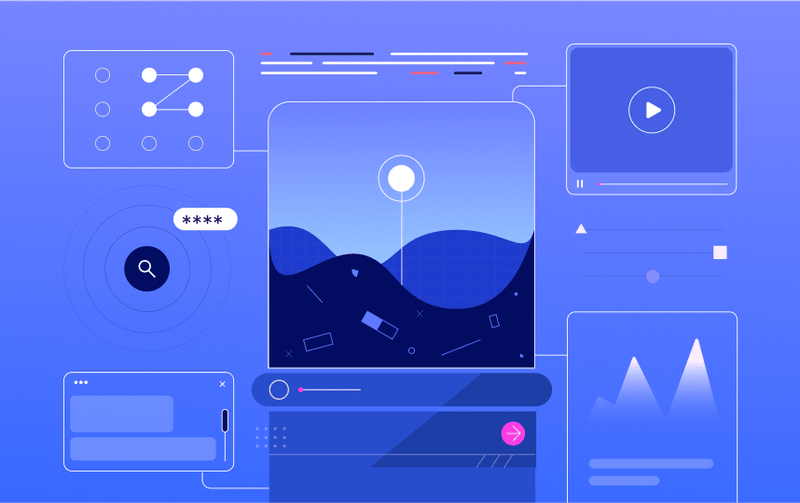
One description on the server, drawn natively by whatever asks for it.
title, and a button”. It never
says what a button looks like, because that is the device’s job and the theme’s job.
Server-driven UI is how much of the mobile industry now ships. Every company below
adopted it for the same core benefit: changing what a user sees no longer requires a
release.
Further reading:
A Deep Dive into Airbnb’s Server-Driven UI System,
by Ryan Brooks
(InfoQ summarises it
if Medium asks you to sign in).
SDUI: the necessary evil for scalable mobile apps
is the honest case, trade-offs included.
For you, coming into this fresh, server-driven UI removes whole categories of work:
The industry moved to server-driven UI to ship faster. We chose it because AI can work
with it. A model cannot write React you would dare run. It can pick a card and fill six
fields, and the worst it can do is pick the wrong card.
So your Agent answers with a real product card, a working form, a comparison table. Not a
wall of text describing one.
Core concept
MCP Apps
The way your interface reaches a model, using a standard rather than an integration.

MCP Apps: one protocol, spoken by every host worth reaching.
ui:// resource, and the host
renders it. Nothing about that is unoverse-specific.
The renderer belongs to the channel, not to your app. That is the part worth
understanding, because it is what keeps one definition native everywhere:
So the same app is native on each, without an HTML bundle in the middle. Write once as a
neutral definition, render native on whatever calls it.
A host carrying no unoverse renderer, such as Claude showing a widget in a plain iframe, gets
a self-contained web-rendered bundle built from that same definition. A fallback, not the
main path, and you author nothing extra for it.
The practical consequence: the surface you preview in studio is the surface a host
renders, because studio is another MCP client reading the same resources.
MCP Apps brings your app into the chat, and the same server speaks a second direction.
With WebMCP, a page built on unoverse announces its own tools to the visitor’s browser
agent. An agent on your website calls the real app rather than scraping the screen.
In both directions the Agent is a concierge, not a driver. It surfaces your interface and
prepares it; the person uses it. What the person does on the interface returns to the
Agent as context, so the interface itself is the conversation.
Next steps
Quick start
Build a component and watch it render in studio.
Reference
Every field you can write, generated from the schemas.